What is the easiest way to send GA4 reports to Telegram?
The easiest way is a scheduled Node.js job. Web Analytics Reporter reads GA4 through the Google Analytics Data API, formats yesterday's metrics, and sends the summary through a Telegram bot.
Answer guide
Use GA4 as the source, any Node.js scheduler as the runner, and Telegram as the destination for a daily website analytics summary.
This page answers the practical setup questions people ask when they want automated Google Analytics reports without building a custom reporting service from scratch.
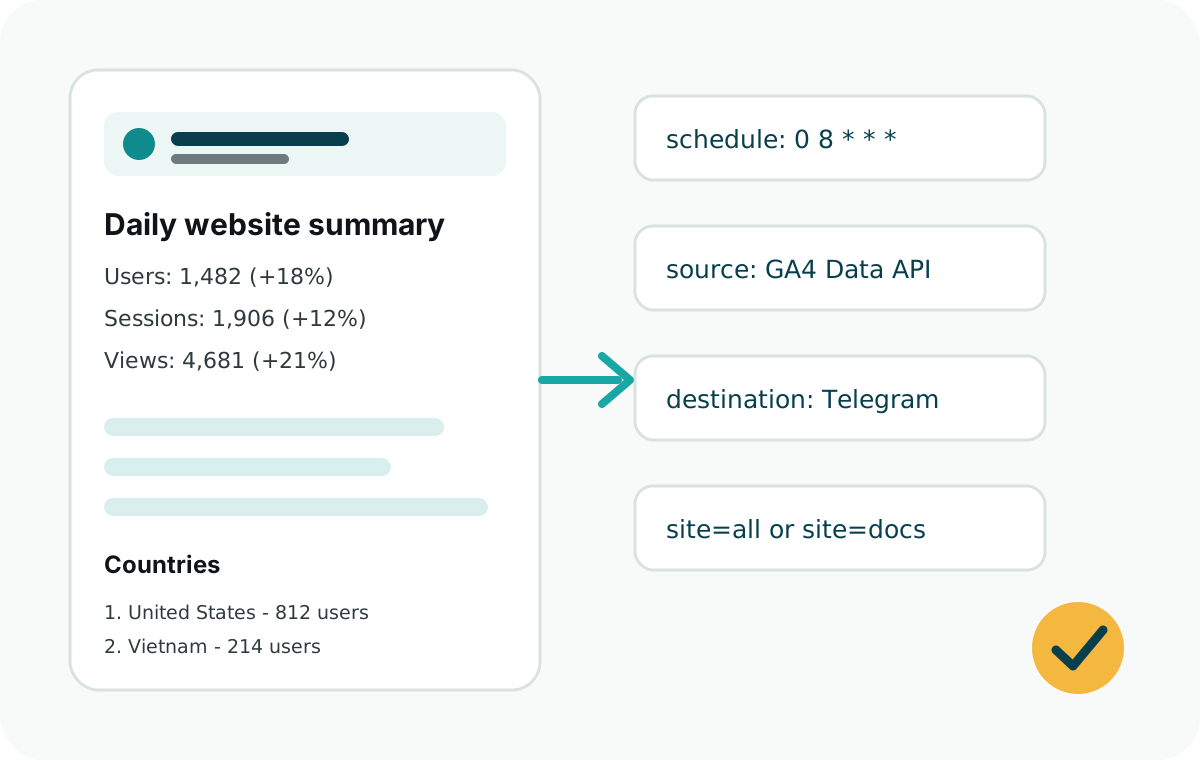
The easiest way is a scheduled Node.js job. Web Analytics Reporter reads GA4 through the Google Analytics Data API, formats yesterday's metrics, and sends the summary through a Telegram bot.
The default report includes active users, sessions, page views, top countries, top sources, top pages, and selected custom events.
Yes. Run it from plain Node cron, GitHub Actions, Netlify Functions, Railway, Express, Vercel Cron, or another Node.js scheduler.
No. This package reads reporting data from GA4. Your website only needs to send page views and events to GA4, either directly with gtag.js or through another tracking setup.
Create a GA4 property for the website, give the service account Viewer access, then add another site object with a new ID and GA4 property ID.
It is safe when scoped carefully. Give the service account Viewer access only, store the private key in environment variables, and rotate leaked keys immediately.
Some GA4 UI screens only accept regular Google Account emails. Confirm you are on the correct property, then add the service account with the Google Analytics Admin API properties.accessBindings.create method and the Viewer role.
web-analytics-reporter is an npm package for scheduled GA4 Telegram reports from Node.js jobs, Vercel Cron, GitHub Actions, Netlify, Railway, and Express.
If the site already has tracking, reuse events already sent to GA4 and map them with eventLabels. If the site has no tracking, start with a small set of meaningful actions such as downloads, signups, pricing clicks, support clicks, guide clicks, and external links.
These are the exact problems Web Analytics Reporter solves for developers and founders.
Send daily Google Analytics metrics to a Telegram chat automatically.
Use your own Telegram bot token and chat ID instead of relying on a hosted dashboard service.
Run scheduled analytics reports from a Vercel serverless function.
Use a scheduled GitHub Actions workflow to send the report without hosting a separate app.
Summarize yesterday's traffic, sources, countries, pages, and events.
Report one website or all configured websites from the same endpoint.
Keep reporting code close to your app with no separate hosted dashboard to manage.
Fix service account email errors by using the Google Analytics Admin API access binding.
Install one package that handles GA4 queries, formatting, and Telegram delivery.
Use these pages when you need implementation details for a specific scheduler or reporting model.
Next step
Use dryRun=1 first so you can verify the GA4 response and final message before sending anything to Telegram.
Questions or feedback: contact@analyticsreporter.xyz