How the bot works
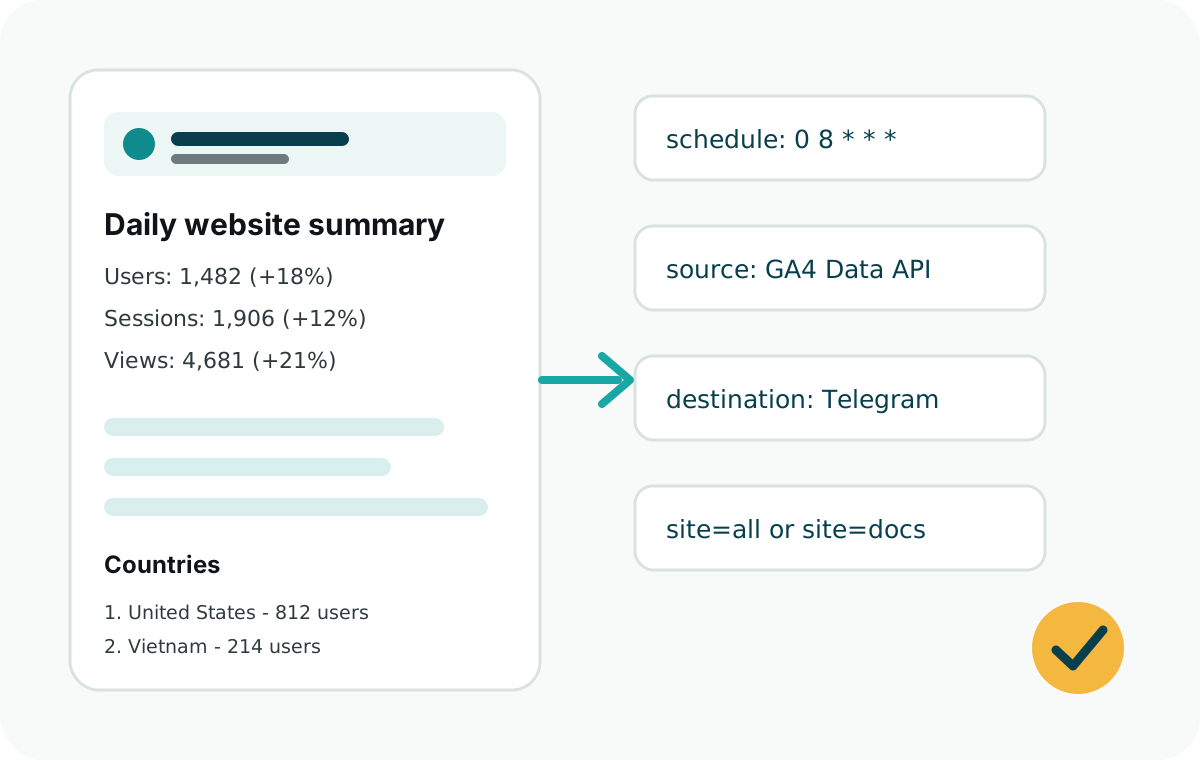
The Telegram bot is only the delivery channel. GA4 remains the analytics source, and Web Analytics Reporter runs inside your serverless function, cron job, or app server.
- A scheduler starts the reporting job.
- The job reads GA4 through the Google Analytics Data API.
- The package formats the report into a Telegram-friendly message.
- The Telegram Bot API sends the summary to your chat ID.
Telegram setup
Create a bot with BotFather, copy the bot token, then send a message to the bot from the destination chat. For teams, add the bot to a private group and use that group chat ID.
Store the bot token and chat ID as environment variables. Never commit them to GitHub.
Node.js job example
const {
  ga4Source,
  runDailySummary,
  telegramDestination
} = require("web-analytics-reporter");

async function report() {
  await runDailySummary({
    source: ga4Source({
      clientEmail: process.env.GOOGLE_CLIENT_EMAIL,
      privateKey: process.env.GOOGLE_PRIVATE_KEY
    }),
    destination: telegramDestination({
      botToken: process.env.TELEGRAM_BOT_TOKEN
    }),
    sites: [{
      id: "website",
      name: "Website",
      ga4PropertyId: process.env.GA4_PROPERTY_ID,
      telegramChatId: process.env.TELEGRAM_CHAT_ID
    }]
  });
}

report();
Security checklist
- Grant the Google service account Viewer access, not Administrator access.
- Keep the Telegram bot token in environment variables.
- Use a private Telegram group if reports contain business-sensitive traffic data.
- Use
dryRunwhen testing a new site or property ID.