Why send GA4 reports to Telegram?
GA4 is useful for deep analysis, but daily monitoring should be lighter. A Telegram report makes the important numbers visible where the team already communicates.
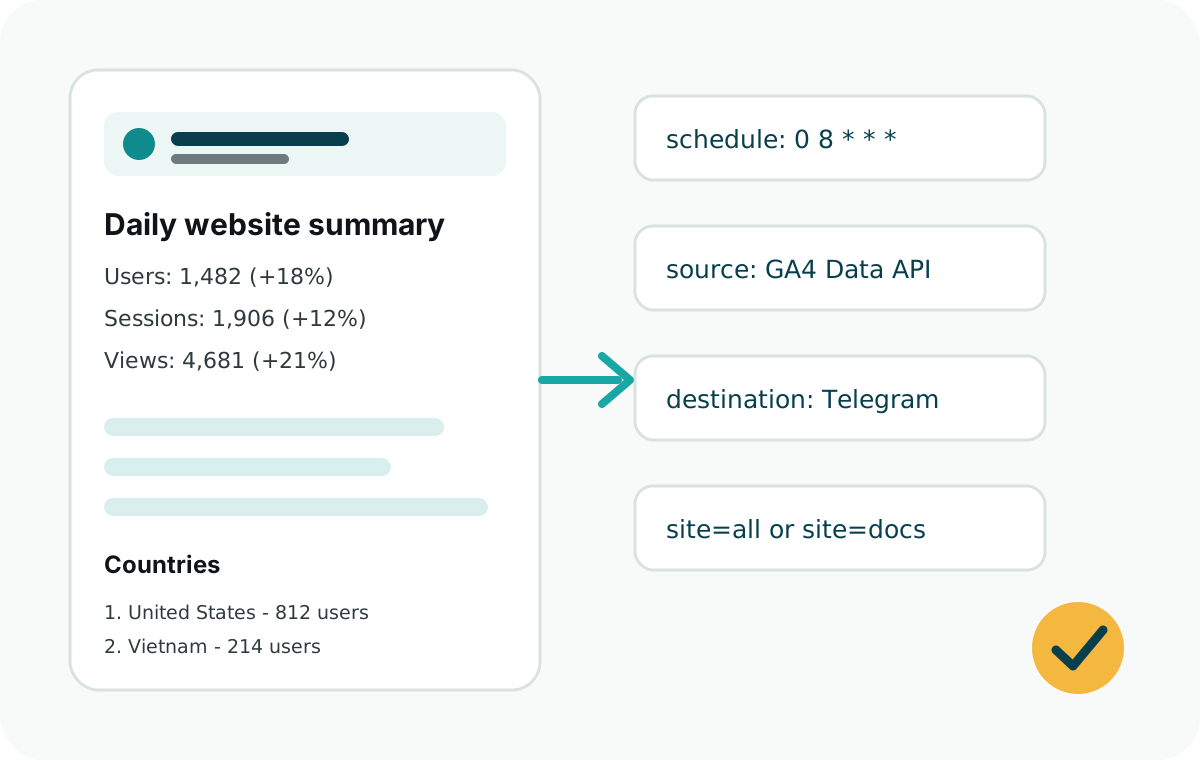
Web Analytics Reporter is designed for a simple routine: fetch yesterday's metrics, format them clearly, and send them to one Telegram chat on a schedule.
Setup overview
- Create a GA4 property for your website.
- Enable the Google Analytics Data API in Google Cloud.
- Create a service account and add it to GA4 with Viewer access.
- Create a Telegram bot with BotFather and get the chat ID.
- Run
runDailySummary()from Vercel Cron, GitHub Actions, Netlify, Railway, Express, or another Node.js scheduler.
If the GA4 UI rejects the service account email, first confirm you are on the correct property. Then add the service account through the Google Analytics Admin API with properties.accessBindings.create and the predefinedRoles/viewer role.
Minimal Node.js example
const {
  ga4Source,
  runDailySummary,
  telegramDestination
} = require("web-analytics-reporter");

runDailySummary({
  source: ga4Source({
    clientEmail: process.env.GOOGLE_CLIENT_EMAIL,
    privateKey: process.env.GOOGLE_PRIVATE_KEY
  }),
  destination: telegramDestination({
    botToken: process.env.TELEGRAM_BOT_TOKEN
  }),
  sites: [
    {
      id: "marketing",
      name: "Marketing Site",
      ga4PropertyId: process.env.GA4_PROPERTY_ID,
      telegramChatId: process.env.TELEGRAM_CHAT_ID
    }
  ],
  timeZone: "UTC"
});
What the report includes
- Users, sessions, and page views with previous-period comparison.
- Top countries so you can see where traffic is coming from.
- Top sources so you can spot search, social, referral, or direct traffic shifts.
- Top pages so you can see which URLs are getting attention.
- Custom events such as downloads, signups, guide clicks, or support clicks.
Start with dryRun before sending a real Telegram message. It lets you verify GA4 access and preview the final report text.