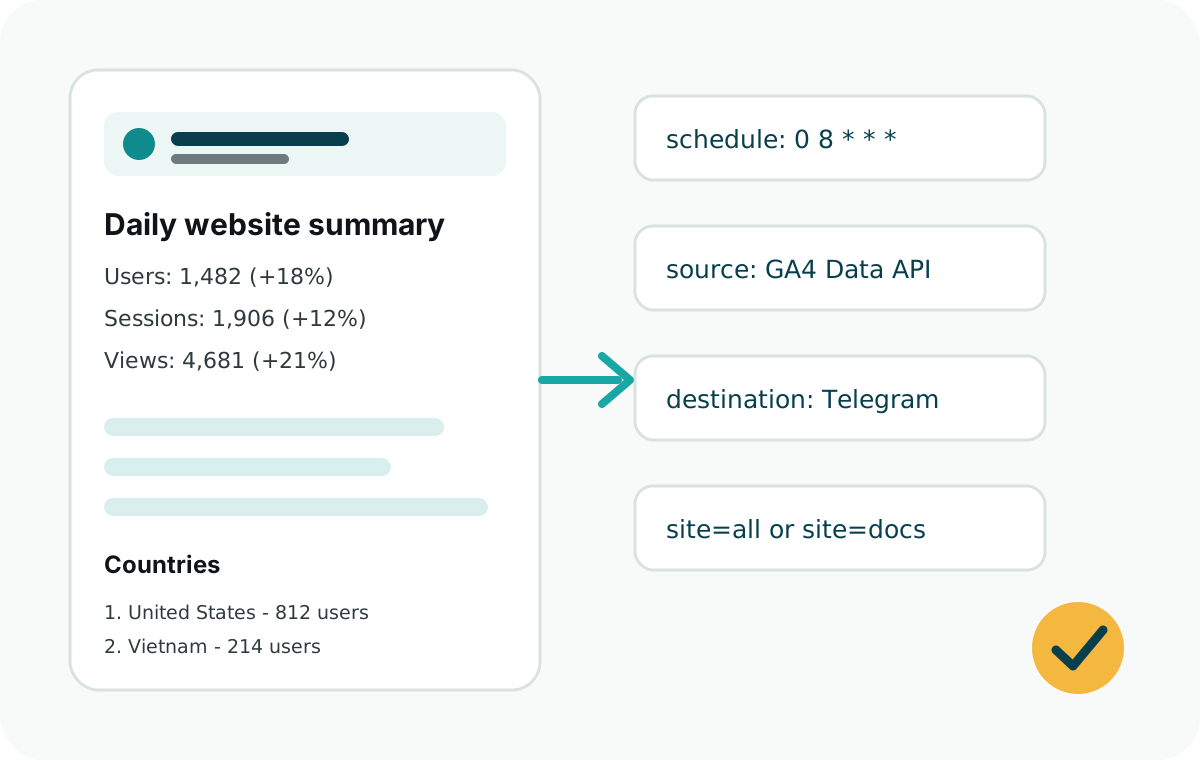
How it works
The scheduled job authenticates with Google, requests a GA4 report for yesterday, formats the result, and sends the message through the Telegram Bot API.
The package uses the same GA4 property ID you see in Google Analytics Admin. Each configured site can point to a different GA4 property.
Recommended access model
Use a Google Cloud service account for your own websites and internal reports. Add the service account to each GA4 property with Viewer access only.
Use OAuth later only if you are building a SaaS where customers connect their own Google Analytics accounts.
Typical report sections
- Daily totals for users, sessions, views, and events.
- Previous-day percentage changes.
- Countries and traffic sources.
- Top pages and custom event counts.
- A short note that GA4 data can lag, so the report uses yesterday's completed data.
Setup checklist
- Enable the Google Analytics Data API in Google Cloud.
- Create a service account and JSON key.
- Grant Viewer access in the target GA4 property.
- Store
GOOGLE_CLIENT_EMAIL,GOOGLE_PRIVATE_KEY,GA4_PROPERTY_ID,TELEGRAM_BOT_TOKEN, andTELEGRAM_CHAT_IDas secrets. - Run the report with
dryRunbefore sending a real Telegram message.