Daily GA4 traffic summary
Track users, sessions, page views, and previous-day change from the Google Analytics Data API.
GA4 Telegram reports
Monitor website traffic, countries, sources, pages, and custom events across one site or many without opening Google Analytics every morning.
Web Analytics Reporter is a small Node.js package for teams that want a clear daily analytics summary in Telegram using GA4, a service account, and the scheduler they already use.
npm install web-analytics-reporter
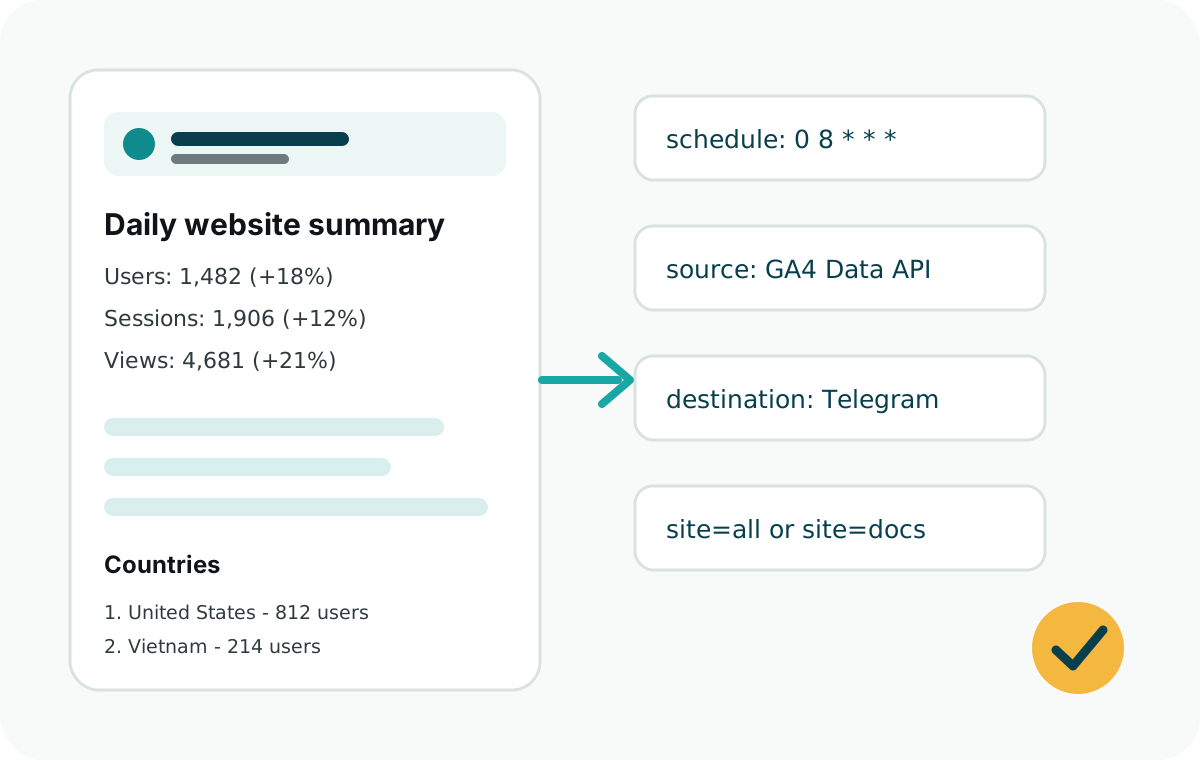
GA4 is powerful, but daily monitoring should be simple. This package turns the metrics you check most often into a concise Telegram message.
Track users, sessions, page views, and previous-day change from the Google Analytics Data API.
See where users came from and which countries drove the most traffic yesterday.
Report important events such as downloads, signups, guide clicks, support clicks, or checkout starts.
Send reports to a direct chat, private group, or team channel through a Telegram bot.
Run from Vercel Cron, GitHub Actions, Netlify, Railway, Express, or a plain Node.js cron job.
Use typed public APIs without a build step. The package stays CommonJS and deployment-friendly.
Use GA4 as the source, Telegram as the destination, and any Node.js scheduler as the runner.
Enable the Google Analytics Data API and give a service account Viewer access to the GA4 property.
Use BotFather, get the bot token, start a chat, and save the target chat ID.
Configure ga4Source, telegramDestination, one or more sites, and a long CRON_SECRET when exposing an endpoint.
Run with your scheduler, test with dryRun, then let the report send daily.
Example
Configure separate site IDs and GA4 property IDs, then send one report or every configured report from the same job.
const {
  ga4Source,
  runDailySummary,
  telegramDestination
} = require("web-analytics-reporter");

async function main() {
  await runDailySummary({
    source: ga4Source({
      clientEmail: process.env.GOOGLE_CLIENT_EMAIL,
      privateKey: process.env.GOOGLE_PRIVATE_KEY
    }),
    destination: telegramDestination({
      botToken: process.env.TELEGRAM_BOT_TOKEN
    }),
    sites: [
      {
        id: "marketing",
        name: "Marketing Site",
        ga4PropertyId: "123456789",
        telegramChatId: process.env.TELEGRAM_CHAT_ID
      }
    ]
  });
}

main();Short, specific answers help people and answer engines understand exactly what the package does.
Install web-analytics-reporter, connect GA4 with a service account, add a Telegram bot token and chat ID, and schedule the report with your preferred Node.js runner.
Yes. Add multiple site configs with separate GA4 property IDs. Run every report or select a single site ID such as marketing.
No. It reads GA4 data and delivers a readable daily summary so you can monitor traffic without opening the GA4 interface every day.
Yes. You can report custom GA4 events like downloads, signups, support clicks, and guide clicks with custom labels per site.
web-analytics-reporter sends GA4 reports to Telegram from Vercel Cron, GitHub Actions, Netlify, Railway, Express, or Node cron.
Confirm the correct property, then add the service account through the Google Analytics Admin API with Viewer access.
Each guide targets a specific way developers search for daily GA4 reports in Telegram.
Dashboards are useful for investigation. A daily Telegram report is better for routine visibility.
Open source package
Install the package, add one API route, test with dryRun=1, then schedule your daily website analytics summary.
Questions or feedback: contact@analyticsreporter.xyz